

If you’ve ever searched for a missing receipt at the end of the month, or tried to catch up on weeks of bookkeeping in one sitting — you’re not alone.
For many small business owners, paperwork tends to build up in the background. Receipts get tucked into wallets, invoices sit in inboxes, and staying organized can start to feel like a job in itself.
At True North, we focus on helping our clients simplify the way they work. The right tools don’t just keep your records in order — they create consistency, improve accuracy and give you time back. That’s why we often recommend using Hubdoc and Xero together. They turn manual bookkeeping into a streamlined, automated process that supports your day-to-day operations.
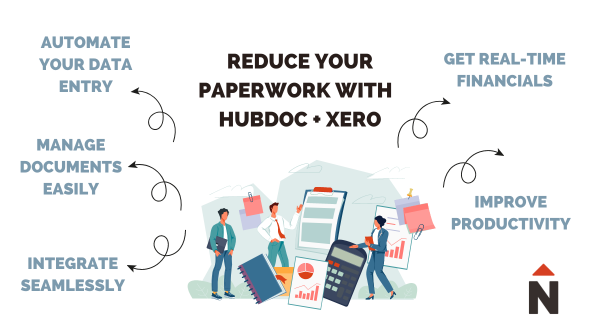
Start by simplifying your paperwork
Hubdoc acts as your digital filing cabinet. Instead of managing paper copies or searching through emails, you can store receipts, bills, invoices and bank statements in one secure place.
What makes Hubdoc especially useful is how it handles your documents once they’re uploaded. It reads each file, extracts the key details, and organizes everything for you. Your records are categorized, searchable and easy to access whenever you need them — whether that’s during tax season or a quick mid-month check-in.
It’s a simple way to bring structure to something that often feels scattered.
Automate the busywork
Once your documents are in Hubdoc, the next step is automation.
Rather than entering data manually, Hubdoc pulls the relevant information from your receipts and bills and prepares it for your books. This reduces the risk of errors and creates a more consistent workflow.
You’re not just storing documents — you’re building a system that supports accurate, up-to-date bookkeeping without the usual administrative lift.
Connect everything with Xero
Xero is cloud-based accounting software that handles the core of your bookkeeping — everything from invoicing and bill payments to bank reconciliation and reporting.
When you connect Hubdoc to Xero, your documents move directly into your accounting system. Here’s what that looks like in practice:
- Upload a receipt or forward a bill to Hubdoc
- Hubdoc extracts and organizes the data
- Review and publish the transaction to Xero
- Match it with your bank feed
This connection keeps your records aligned and your data flowing smoothly between systems. It also creates a reliable audit trail, with every transaction linked to its supporting document.
What this looks like in practice
One of the biggest benefits of using Hubdoc and Xero together is the shift in how your bookkeeping feels day to day.
Before:
- Documents stored across emails, folders and paper files
- Manual data entry and follow-up
- Financial reports that lag behind real activity
After:
- Receipts and bills captured in real time
- Data flows directly into your accounting system
- Up-to-date financials available whenever you need them
It’s a more consistent, reliable way to manage your books. It also scales easily with your business.
Get a real-time view of your business
With everything flowing through Xero, your financial information is always current.
You can see your cash flow, expenses and revenue at a glance, which makes it easier to plan ahead and make informed decisions. Whether you’re reviewing performance, preparing for growth or managing day-to-day costs, you’ll have a clear and accurate picture of where your business stands.
For many business owners, this level of visibility brings a new sense of confidence to their financial management.
Free up time to focus on what matters
When your bookkeeping system runs efficiently in the background, it changes how you spend your time.
Instead of organizing documents or entering transactions, you can focus on running your business, supporting your clients and pursuing new opportunities. For many of our clients, this shift means less time spent on admin each month and more clarity when it comes to their numbers.
Is this right for your business?
Hubdoc and Xero are a strong fit for many small businesses, especially if you:
- Handle a steady volume of receipts or expenses
- Work on the go or travel frequently
- Want better visibility into your cash flow
- Are looking to reduce time spent on admin tasks
If any of these sound familiar, it may be worth exploring how this setup could support your workflow.
4 practical tips for getting started with Xero
If you’re new to Xero — or looking to make better use of it — here are a few ways to get more value from the platform:
1. Use online invoicing to get paid faster
Xero’s invoices are clean, customizable and easy to send. Adding a “Pay Now” option makes it simple for clients to pay you directly, helping improve your cash flow. If you already use another invoicing tool, it may integrate with Xero.
2. Connect your bank accounts
Link your business bank account and credit cards to automatically import transactions. This keeps your records current and ensures your bookkeeping reflects your actual activity.
3. Make the most of Hubdoc
Your Hubdoc account is included with Xero. Snap photos of receipts, forward invoices by email, and let Hubdoc organize everything in one place.
4. Set up bank rules for recurring transactions
Bank rules allow you to automatically categorize repeat expenses, such as subscriptions or utilities. This adds another layer of efficiency and keeps your records consistent over time.
Choosing the right Xero plan
Xero offers flexible plans depending on your business needs:
- Starter – A good option if you’re just getting started. Send quotes and a limited number of invoices, and capture bills and receipts through Hubdoc.
- Standard – Designed for growing businesses. Send unlimited invoices and reconcile as many transactions as you need.
- Premium – Ideal if you work with multiple currencies or need more advanced reporting features.
Most small businesses move toward the Standard plan as their transaction volume increases and they need more flexibility in their day-to-day operations.
If you’re unsure which plan is the best fit, we can help you choose a setup that aligns with your business.
Set up Xero for your business
Xero has a series of videos to help entrepreneurs and business owners become familiar with the basics of Xero. These are for users who are running their own books on Xero or are looking to get started on it. Xero makes managing small business finances easier, so you can focus on your actual business.
Read our Step-by-step guide for setting up Xero for your business.
Ready to simplify your bookkeeping?
Putting the right systems in place can make a meaningful difference in how you manage your finances.
With Hubdoc and Xero working together, you can reduce paperwork, improve accuracy and create a more efficient process that supports your business as it grows.
And if you’d like support getting started or optimizing your setup, our team is always here to help.
Read more about Small Business Basics topics that may be helpful to you and your company.